Pinterest help for bloggers, from your first keyword to your next email subscriber
Inside, you'll find trainings, templates, and workshops for every part of Pinterest, from keyword research to building your email list.
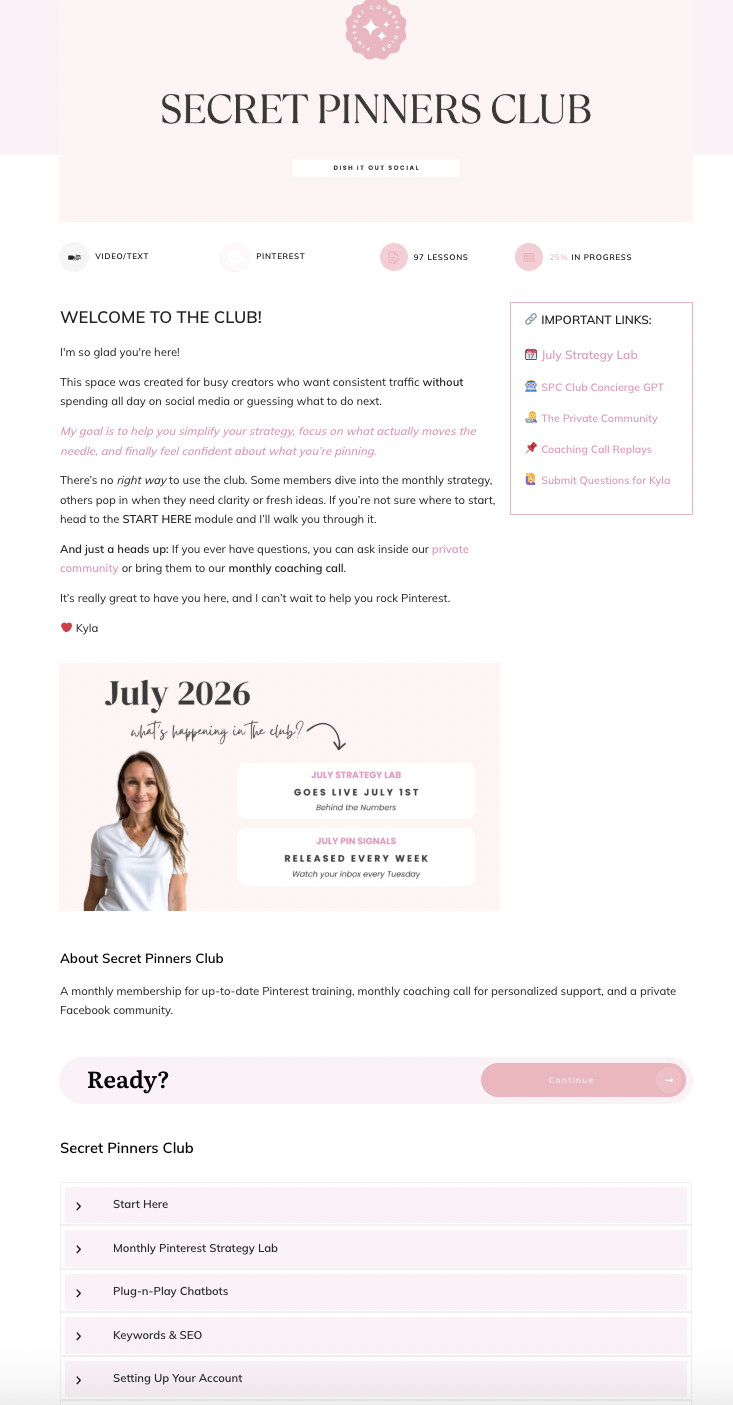
Every Tuesday, I add a briefing on what I'm seeing and testing right now. Once a month, we go deeper on one thing in Strategy Lab.
$7 for 7 days, then $29/month. Cancel anytime.
Pin Signals
One tactic, start to finish, applied to your account.
in your inbox
every Tuesday
Pinterest advice is everywhere, and half of it contradicts the other half
One person says pin more. Another says slow down.
Someone swears fresh pins are everything. Someone else says it's all about saves now. Or keywords. Or boards. Or better images.
Then AI showed up, and Pinterest somehow got easier and more confusing in the same year.
So you end up doing a little of everything. And you can't tell which part is working.
Pinterest changing is normal. Figuring out which changes matter for your account, while also running a blog, is the part that eats your week.
That's what Secret Pinners Club is for.
The library covers the basics, like keywords, pin design, analytics, and turning pinners into email subscribers. Pin Signals keeps you current every Tuesday. And Strategy Lab helps you fix one thing a month without starting over.
(And honestly? Some Tuesdays my advice is "ignore this one.")
What you get as a member
Your membership has a few parts. Use the ones you need this month and ignore the rest.
The library
Trainings, templates, and workshop replays for every part of Pinterest: keyword research, pin design, analytics, profile setup, and turning pinners into email subscribers. Start here if you're newer, or jump straight to the thing you're stuck on.
Pin Signals, every Tuesday
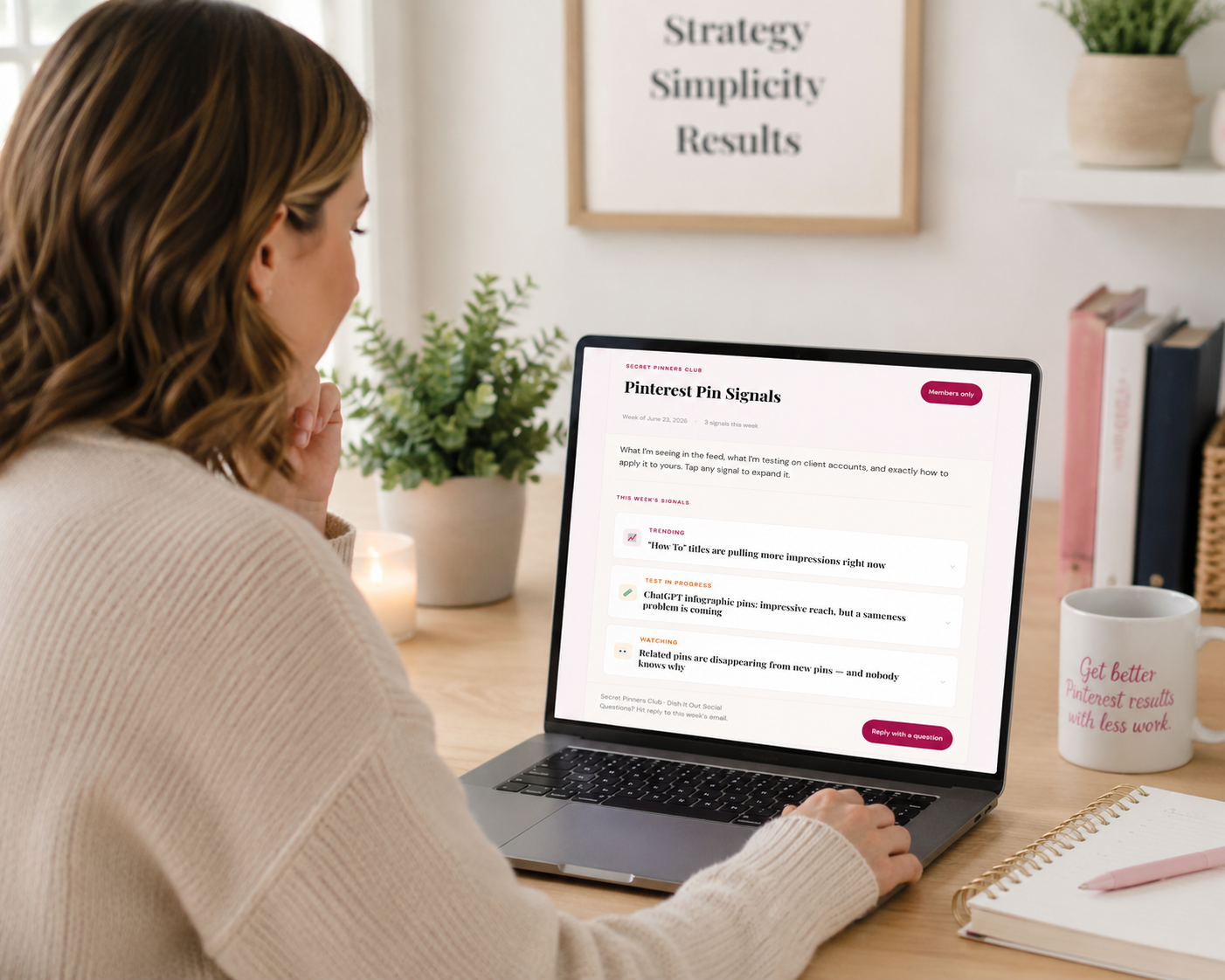
A short briefing on what I'm seeing and testing across real accounts, and how I'd use it on yours.
Strategy Lab, once a month
One Pinterest tactic, broken down start to finish, so you can fix one thing without starting over.
The member community
Bring your "am I doing this right?" questions, share wins, and get feedback from other creators growing with Pinterest.
AI tools and workflows
The prompts, workflows, and shortcuts I use to plan pins and save time, plus my Pinterest Opportunity Report, a reusable monthly analytics dashboard ($34 value).
Learn it once, come back whenever
The minute you join, you get everything already inside: every past Pin Signal, every past Strategy Lab, and the full library.
So when you hit a wall with keywords, or your impressions drop, or you finally want pins to grow your list, there's a training waiting for you.
Plus dozens more. New ones get added as Pinterest changes.
Pin Signals: what I'm seeing, and what to do about it
Every Tuesday, members get a short briefing from inside the accounts I'm working on. What seems to be working, what I'm testing, and what I think you can skip.
Some weeks it's a platform change. Some weeks it's an experiment I ran, or a small workflow tweak that made pinning faster. And some weeks I tell you I'm pulling back on something I used to recommend.
Strategy Lab: one thing, done well
Pin Signals keeps you current. Strategy Lab helps you act on it.
Each month we pick one tactic, like boards, keywords, pinning frequency, or reading your analytics, and go through it start to finish. Something you can actually finish that month (before you give up and reorganize your pantry instead).
What to focus on
The one tactic we're improving this month.
Why it matters now
Where it fits in growing your traffic, and why it's worth your time this month.
What I'm doing
How I'm handling it on my account and the accounts I manage.
How to apply it
Practical steps for your account, in small pieces.
What to watch next
What to keep an eye on in your analytics after you make the change.
How I figure out what's working (so you can too)
This might sound weird coming from someone who teaches Pinterest, but I don't think any one strategy works forever.
Your audience shifts. Your content shifts. Pinterest shifts. And AI changed how everyone makes pins pretty much overnight.
So here's how I actually work. I try something on my account or an account I manage. I watch what happens in the analytics. Then I keep it or drop it.
Inside Secret Pinners Club, you see that whole process:
- →What I'm testing right now
- →What surprised me
- →What I changed my mind about
- →The tools I'm using
- →What I quit doing
- →What I'd try next
And I tell you why, every time. Once you know how I'm thinking, you can make the call for your own account. You're not stuck following my checklist forever.
And when you want the step-by-step version, it's waiting in the library.
test it, watch it, keep what works.
that's most of the strategy.
Real wins from real members


Shared by members inside the community.
Is this for you?
Secret Pinners Club is for bloggers and creators who use Pinterest to send traffic to their own content.
It's for you if...
- ✓You're tired of piecing together a strategy from random blog posts, old trainings, and half-finished courses.
- ✓You want to stay current without researching Pinterest updates for hours every week.
- ✓You're up for trying things, checking the results, and adjusting.
- ✓You want a simpler Pinterest routine, with less on your plate.
- ✓You want guidance from someone who's in real accounts every week.
It's probably not for you if...
- ✕You want someone to promise instant Pinterest traffic.
- ✕You want one rigid formula that never changes. I don't teach Pinterest that way.
- ✕You'd rather not test or adjust anything on your account.
- ✕You plan to download everything once and never come back.
Try it for a week, then decide
- ✓The full library: trainings, workshops, templates, and planners
- ✓Pin Signals every Tuesday, plus every past issue
- ✓A new Strategy Lab every month, plus every past Lab
- ✓The member community
- ✓AI tools and workflows, plus the Pinterest Opportunity Report ($34 value)
$7
for 7 days, then $29/month
Cancel before day 7 and you won't be charged the $29.
$290 /year
2 months free (you save $58). One payment, and your rate is locked in for 12 months.
Join annualA few things worth knowing
Can't I just ask ChatGPT?
AI can tell you what Pinterest advice is out there. It can't tell you what I saw on real accounts last week, or which change is worth your hour. That part comes from me.
How much time does this take?
Read Pin Signals, pick one thing to try, done. Strategy Lab and the library are there when you want to go deeper.
I'm pretty new to Pinterest.
Pin Design 101, keyword research, and the 90-Day Pinterest Growth Plan walk you through the basics. Pin Signals will make a lot more sense once those click.
What happens after my trial?
After 7 days, your membership continues at $29/month. Cancel before then and you won't be charged.
I tried Pinterest and it flopped.
Most of the time it's an outdated tactic, or not knowing what to adjust. You'll get a current plan, plus the community to help troubleshoot your own account.
Can I cancel anytime?
No hoops, no guilt trip. Cancel whenever you want.
Pinterest strategist
Hi, I'm Kyla. I've spent more than 10 years helping bloggers and creators use Pinterest to grow their traffic.
Honestly, Pinterest has changed so many times since I started that I've stopped trusting any one perfect formula. So I pay attention instead. I test ideas on my account and the accounts I manage, watch the data, and adjust.
Inside Secret Pinners Club, you get that work every week, plus the trainings I've built over the years. So you can quit piecing it together from random blog posts.
If you're tired of figuring this out alone, come try it for a week.
xx Kyla

You don't have to figure Pinterest out alone
Try the club for a week. Read a Tuesday Signal, poke around the library, and see if it fits.
$7 for 7 days, then $29/month. Cancel anytime.