
This post was written when using ChatGPT for Pinterest felt new and exciting — and those prompts still work. But Pinterest has changed a lot since then, and there's something worth knowing before you rely on generic ChatGPT for your strategy.
ChatGPT is trained on general internet data, which means its Pinterest advice can be vague, outdated, or based on tactics that actually hurt your reach with the current algorithm. It doesn't know your niche, your audience, or what Pinterest is rewarding right now in 2026.
That's exactly why I built my Pinterest Skill Builder (soon to be PinMode). You answer a few questions about your niche, and it builds 8 custom Pinterest skill files based on 10+ years of real Pinterest strategy. Load them into Claude, ChatGPT, or Gemini, and your AI finally knows Pinterest (and your account).
Use the prompts in this post as a starting point — then read my fuller guide on how to use AI for Pinterest marketing in 2026 when you're ready for a smarter, more sustainable system.
Want AI that actually knows Pinterest?
Build my Pinterest skill files →If you’ve ever wished you had better ChatGPT prompts for Pinterest to speed up your pin titles and descriptions, this post walks you through 10 plug‑and‑play examples. ChatGPT is your secret weapon, and in this article, we'll dive into 10 actionable ways to harness ChatGPT's power for Pinterest marketing. Plus, stick around for an exclusive offer to supercharge your Pinterest workflow.
What is ChatGPT?
In the ever-evolving landscape of digital marketing, staying ahead of the curve is crucial to success. This is where ChatGPT steps in as a game-changer for your Pinterest marketing efforts. But before we dive into the exciting ways you can use ChatGPT for your Pinterest marketing, let's start with the basics.
ChatGPT is an advanced artificial intelligence (AI) language model developed by OpenAI.
It's designed to understand and generate human-like text based on the prompts and questions it receives. Think of it as your virtual marketing assistant, always ready to provide insights, suggestions, and solutions to enhance your online presence.
Now, you might be wondering, "How can ChatGPT specifically benefit my Pinterest marketing?" That's precisely what we're here to explore in this article. Whether you're new to ChatGPT or a seasoned user, you'll discover 10 ChatGPT Prompts for Pinterest that will save you a ton of time on your Pinterest marketing strategy.
So, let's embark on this journey together, as we uncover 10 creative prompts to elevate your Pinterest game with ChatGPT's AI-powered insights and grow your traffic from Pinterest.
10 ChatGPT Prompts for Pinterest
1. Create Compelling Pin Titles
Are your Pinterest titles falling flat? Let this ChatGPT prompt generate fresh, SEO optimized titles for you.
ChatGPT Pin Title Prompt: Generate [insert number] Pinterest-optimized pin titles for a blog post or video titled: "[insert your blog/video title]".
Each title must:
– Be catchy and attention-grabbing
– Include the exact keyword: [insert main keyword]
– Follow best practices for Pinterest (e.g. curiosity, listicles, how-tos, emotional hooks)
– Stay under 100 characters
Avoid repetition and ensure variety in phrasing styles.
Get the Pin Title Writer skill
2. Craft Captivating Pin Descriptions
Captivate your Pinterest audience with engaging pin descriptions. Let this ChatGPT prompt help you draft descriptions that drive clicks and conversions.
ChatGPT Pin Description Prompt: Write 5 catchy and informative Pinterest pin descriptions about [Your Topic].
Each description must:
– Naturally include the keywords: [keyword 1], [keyword 2], and [keyword 3]
– Be engaging, clear, and tailored for Pinterest’s audience
– End with this call to action: [insert your CTA]
Keep each description under 500 characters and ensure they spark interest and encourage clicks.
3. Get Creative with Pin Designs
Struggling with design ideas? This ChatGPT prompt can brainstorm colors and images for your next Pinterest pin.
ChatGPT Pin Design Prompt: Brainstorm 5 creative Pinterest pin design ideas for content related to [Your Topic].
Each idea should include:
– A suggested layout or visual concept
– Color scheme inspiration
– Font style or typography suggestion
– Any relevant graphic elements (e.g. icons, overlays, textures)
Design ideas should be optimized for Pinterest’s vertical format and visual trends.
What's Blocking Your Pinterest Growth?
Before you try another strategy, take this quick quiz to uncover the real reason your pins aren’t taking off...and get a shortcut to fix it.
4. Stay Trendy with Content Ideas
Stay ahead of the curve by discovering trending topics in your niche, thanks to ChatGPT's insights.
ChatGPT Content Prompt: Identify 10 trending content ideas I should create for Pinterest in the [insert your niche] niche.
Each idea should:
– Be based on current Pinterest trends and user interests
– Include a suggested format (e.g. listicle, tutorial, infographic, quote pin)
– Have a short description explaining why it’s likely to perform well
– Be optimized for engagement, saves, and shares on Pinterest
Get the Content Angle Generator skill
5. Optimize Your Boards
Enhance your Pinterest profile's visibility by optimizing your boards with ChatGPT's guidance.
ChatGPT Board Prompt: Write a Pinterest-optimized board description for a board titled "[Your Board Name]".
The description must:
– Naturally include the keywords: [keyword 1], [keyword 2], and [keyword 3]
– Clearly explain what the board is about and who it’s for
– Be engaging, keyword-rich, and aligned with Pinterest SEO best practices
– Stay under 500 characters to ensure full visibility in search results
Get the Board Name Generator skill
6. Target the Right Audience
Identify and target your ideal audience on Pinterest with ChatGPT's help.
ChatGPT Audience Prompt: I create content about [Your Topic].
Help me identify my ideal audience on Pinterest by providing:
– A detailed description of the target audience (interests, demographics, behaviors)
– What types of content they actively engage with on Pinterest
– Suggested keywords and phrases they search for
– Content styles and formats that resonate most with them
The goal is to align my content strategy to attract and engage this audience effectively.
7. Decode Your Analytics
ChatGPT can help interpret your Pinterest analytics and recommend improvements for specific metrics.
ChatGPT Analytics Prompt: Analyze my Pinterest analytics data and provide specific recommendations to improve [Specific Metric – e.g., outbound clicks, saves, impressions, engagement rate].
Your analysis should include:
– Key patterns or trends affecting this metric
– Pin design, keyword, or content strategy changes to boost performance
– Best-performing pins and what can be replicated from them
– Actionable next steps tailored to my niche and goal
This Free GPT Writes Click-Worthy Pinterest Headlines
Get my FREE AI tool that instantly generates tons of viral pin headlines for your pins!
8. Plan with a Content Calendar
Stay organized with a well-structured Pinterest content calendar created by ChatGPT.
ChatGPT Calendar Prompt: Create a 30-day content calendar for my [YouTube / Blog / Video] channel focused on [Insert Topic].
The calendar should include:
– Post titles that are SEO-optimized and attention-grabbing
– Brief content summaries (1–2 sentences each)
– A table format with columns for: Date, Title, Summary, and Content Format
Ensure the content mix balances value, engagement, and relevance to my target audience.
9. A/B Testing Ideas
Experiment with A/B testing for your pins, and ChatGPT can provide ideas for effective variations.
ChatGPT Testing Prompt: Generate A/B testing ideas for Pinterest pin variations related to [Your Topic].
For each idea, include:
– The specific element to test (e.g. image style, headline text, font, CTA, color scheme)
– Two variation examples (A and B)
– A brief note on what the test aims to measure (e.g. click-through rate, saves, engagement)
Focus on optimizing performance based on Pinterest user behavior and visual preferences.
10. Engagement Strategies
Suggest strategies to increase engagement with your Pinterest audience.
ChatGPT Engagement Prompt: Suggest effective strategies to increase engagement with my Pinterest audience interested in [Your Topic].
Recommendations should include:
– Content types and formats that drive clicks, saves, and comments
– Pin design best practices for visual appeal
– Posting frequency and timing tips
– Ways to leverage Pinterest SEO (keywords, board organization, descriptions)
Focus on building consistent engagement and growing a loyal, niche-specific audience.
11. Bonus: My Pinterest Skill Builder
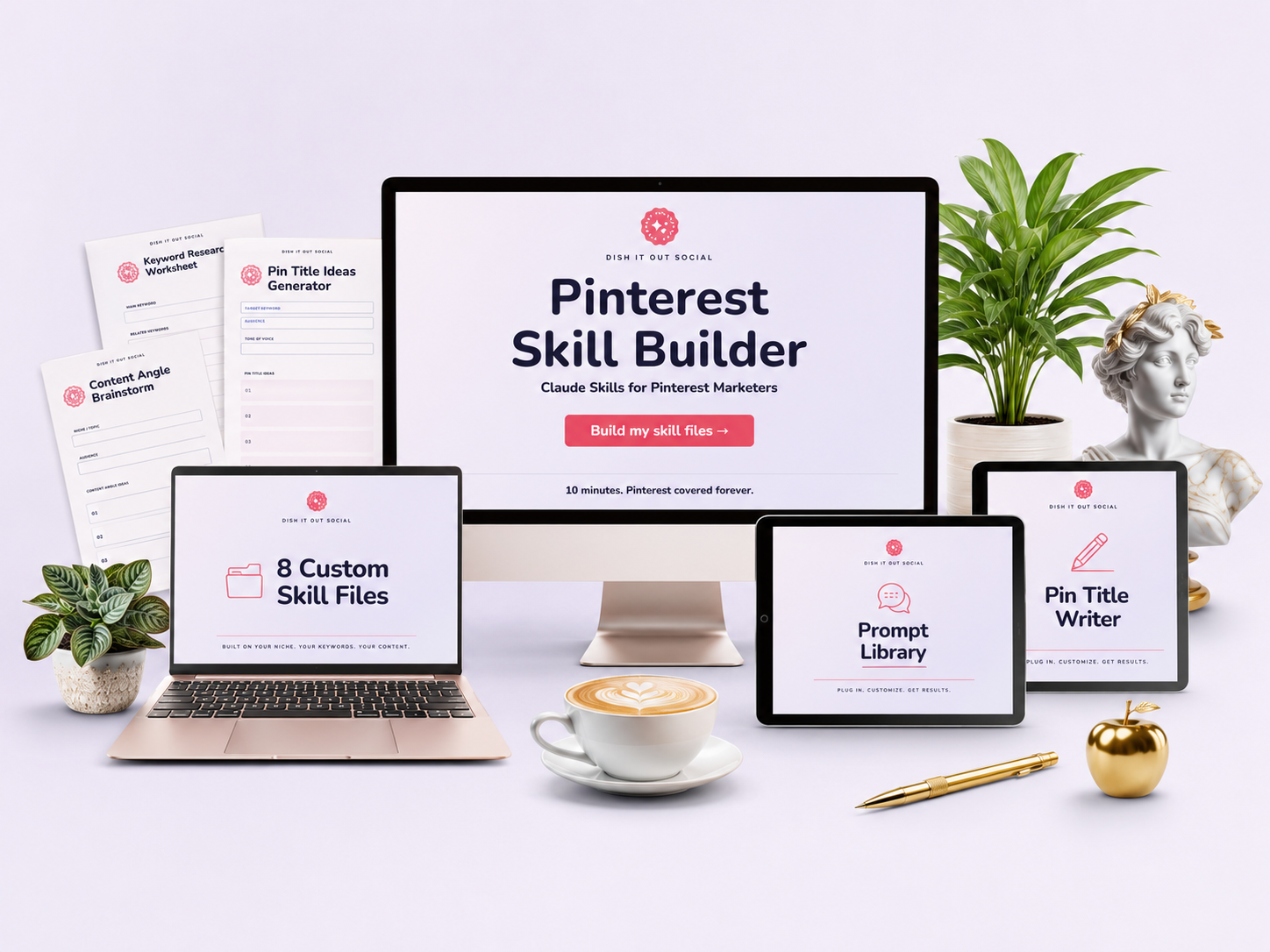
If you liked these ChatGPT prompts, you'll love my Pinterest Skill Builder. It builds 8 custom Pinterest skill files around your niche, keywords, and content, so your AI can handle pin copy, keywords, boards, profile audits, and funnels without you re-explaining your account every single chat.
Pinterest Skill Builder gives you 8 skill files that help you:
✔️ Write pin titles and descriptions that sound like you (and actually get clicks)
✔️ Get keywords and fresh pin angles for posts you already have
✔️ Audit your profile and name your boards for search
✔️ Map out a funnel from first pin to email signup
It's 24/7 Pinterest help for a one-time price.
Set it up once in about 10 minutes and use it with Claude, ChatGPT, or Gemini.