

If you've been searching for an honest Pin Inspector review, you're in the right place.
And if you've been trying to figure out the best Pinterest keyword research tool, you've probably come across two names: Pin Inspector and PinClicks.
In this post I'm going to do a deep dive into both tools so I could give you an honest comparison and show you which one I'd actually recommend to the bloggers and creators I work with.
Spoiler: Pin Inspector is my pick, and I'll tell you exactly why.
What Is Pin Inspector?
Pin Inspector is a downloadable desktop app (Mac + PC) built by developer Dave Guindon. It pulls data directly from Pinterest's live search results (not through the Pinterest API) which means it doesn't face the shutdown risk that killed older tools like Board Booster.
It gives you unlimited keyword searches, pin extraction, competitor research, trend data, and annotation keywords, all for a one-time payment with no monthly fees.
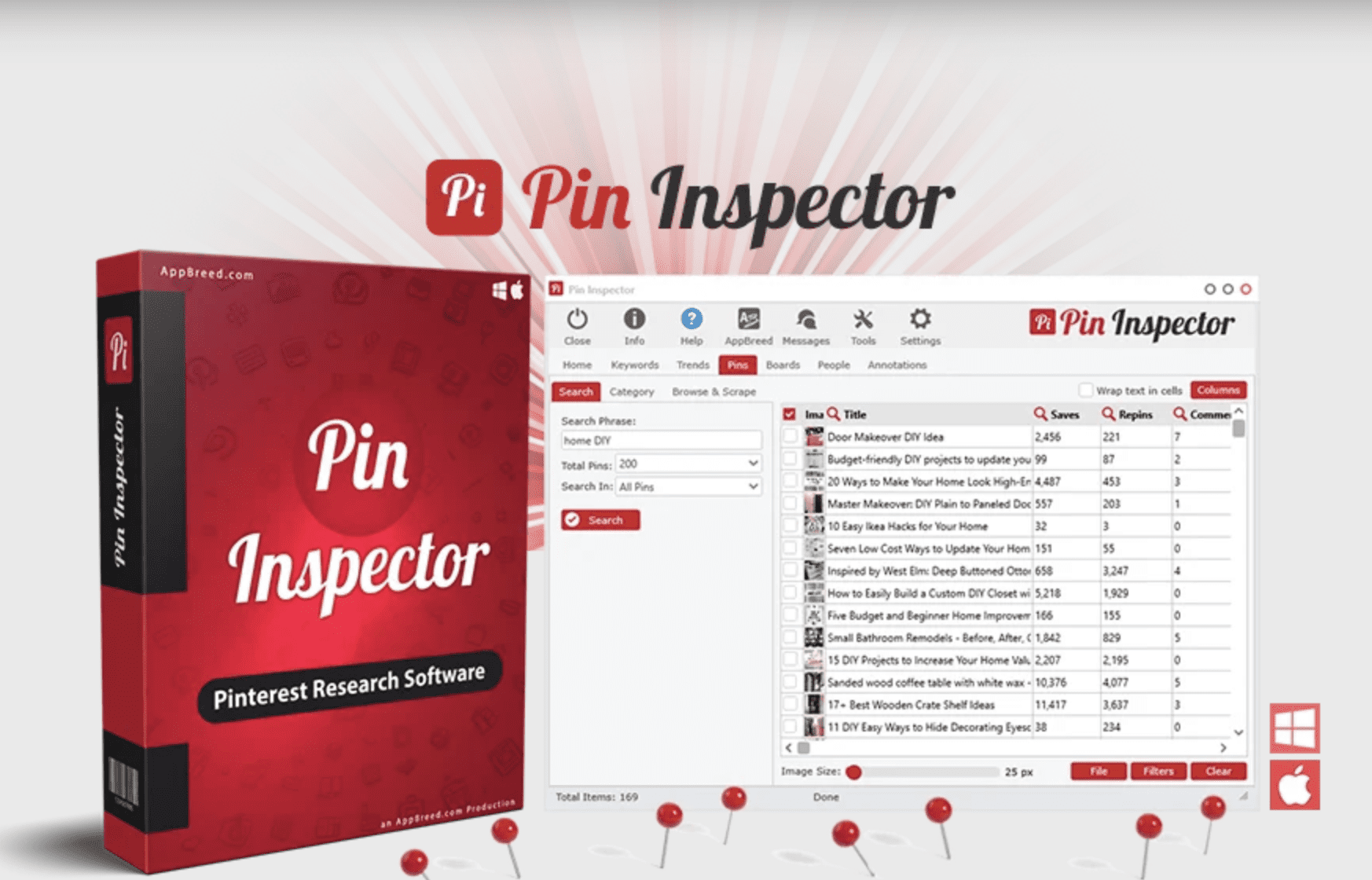
You can get it right now for $47 with coupon code PIN20 →
What Is PinClicks?
PinClicks is a browser-based subscription tool built by blogger and SEO strategist Tony Hill. It launched more recently and is positioned as a Pinterest-specific version of tools like Ahrefs or SEMrush.
It has some genuinely useful features (more on that below) but it starts at $29/month and goes up to $49/month, with annual plans running $249–$399/year.
Pin Inspector vs PinClicks: The Honest Comparison
Pricing
This is where Pin Inspector wins...and wins decisively.
Pin Inspector vs. PinClicks
| Pin Inspector (winner ✦) | PinClicks | |
|---|---|---|
| Price | $47 one-time use PIN20 | $29–$49/month |
| Monthly Fees | None | Yes |
| Annual Cost | $47 total | $249–$399/year |
| Free Updates | Yes | Yes |
Use code PIN20 at checkout to get Pin Inspector for $47.
For bloggers and creators who aren't rolling in tool budgets, this isn't even close. You pay once for Pin Inspector and you're done. With PinClicks, you're committing to a recurring charge every single month. And if you ever cancel, you lose access to everything.
Over two years, PinClicks costs you 10–25x more than Pin Inspector.
→ Get Pin Inspector for $47 with code PIN20
Features: What Each Tool Actually Does
Both tools help you find Pinterest keywords, research competitors, and surface the annotations Pinterest uses to categorize pins. But they go about it differently.
Pin Inspector's core tools:
- Popular Keywords — Generate hundreds of keywords directly from Pinterest's autosuggest engine, plus search volume, CPC, and competition data
- Top Trends — Extract trending searches from Pinterest Trends, including a full year of volume data
- Pins Analyzer — Pull 52+ data points for any pin, including saves, repins, reactions, and annotation keywords
- Boards Tool — Analyze any board for top-performing content and related interest keywords
- Profiles Tool — Spy on any Pinterest account to see their top content and what's driving their traffic
- Browse & Scrape — Surf Pinterest inside a built-in browser and extract data as you go
- Media Downloader — Download pin images and videos directly to build a swipe file
- Keywords Everywhere Integration — Connect your KE account for enhanced volume and CPC data
That's a lot of tool for $47.
PinClicks' core tools:
- Keyword Explorer with volume data
- Interest Explorer (11M+ official Pinterest interest categories)
- Top Pins view for any keyword
- Pin Stats tool
- Account/competitor explorer
- Rank tracker (25 keywords on the base plan, 5,000 on the higher tier)
PinClicks is cleaner and simpler to navigate. The Interest Explorer and rank tracker are genuinely good features. But you're paying $29–$49/month for them.
The One Area Where PinClicks Has an Edge
I'll be straight with you: PinClicks does two things really well that Pin Inspector doesn't match directly.
1. The Interest Explorer. PinClicks has a searchable database of Pinterest's 11 million+ official interest categories — the internal tags Pinterest uses to categorize users and content. Targeting these interest keywords helps your pins show up in home feeds, not just search results. It's a legitimately useful feature.
2. Rank tracking. PinClicks lets you track how your specific pins are ranking for target keywords over time. This is useful if you want data on whether your optimization efforts are working week over week.
These are real advantages. I'm not going to pretend they're not.
But here's my honest take: for most bloggers, these features don't justify paying $249+ per year vs $47 one time. The foundational keyword research, annotation data, and competitor analysis you need to grow on Pinterest? Pin Inspector handles all of that, and then some.
Ease of Use
PinClicks is easier to pick up quickly. It's browser-based, the interface is intuitive, and you can be doing keyword research within minutes of signing up.
Pin Inspector has a steeper learning curve. It's a more powerful desktop tool with eight built-in modules, and it takes some time to learn how to get the most out of it. Dave publishes tutorial videos that walk you through everything, and they're worth watching.
If you're the type who dives in and figures things out as you go, you'll be fine. If you want instant "just tell me what to do," expect a short ramp-up period.
Who Pins Inspector Is Perfect For
- Bloggers and content creators who want real Pinterest data without a recurring bill
- Pinterest managers handling multiple client accounts (one license, unlimited research)
- Anyone who wants to do deep competitor analysis and pin extraction
- People who've been burned by monthly tool subscriptions and are over it
- Creators on a budget who still want professional-level data
Every Pin Inspector review I've read agrees on one thing... the data depth is unmatched for the price.
Who Might Prefer PinClicks
- You specifically want the Interest Explorer and rank tracking features and you're ready to pay monthly for them
- You hate desktop software and only want browser-based tools
- Pinterest is your primary traffic source and you treat it like an SEO channel with a real tool budget
Both groups are valid. But the majority of bloggers and creators I work with fall into the first category, that's why I recommend Pin Inspector.

Pin Inspector Review – My Verdict: Pin Inspector Is the Better Buy for Most People
When I look at what most bloggers actually need from a Pinterest keyword tool, like finding the right search terms, understanding what's trending, peeking at what's working for competitors, and optimizing pin descriptions with real data.
Pin Inspector delivers all of it for a one-time fee that costs less than one month of PinClicks' mid-tier plan.
PinClicks is a solid tool. If budget isn't a concern and you want the cleanest interface with rank tracking built in, it's worth trying their free trial. But if you want the best value for your money, and a tool that keeps working for you for years without an ongoing charge, Pin Inspector is the better move.
→ Get Pin Inspector for $47 using coupon code PIN20
That gets you the full desktop software for Mac + PC, unlimited data access, free updates, and a 30-day money-back guarantee.
Frequently Asked Questions
Is Pin Inspector a one-time payment?
Yes. You pay once and own it forever, including free software updates. Use coupon code PIN20 to get it for $47.
Does Pin Inspector work on Mac?
Yes. Pin Inspector is available for both Mac and PC.
How is Pin Inspector different from PinClicks?
Pin Inspector is a desktop app with a one-time price. PinClicks is a browser-based subscription starting at $29/month. Both do Pinterest keyword research, but Pin Inspector offers more raw data extraction at a fraction of the long-term cost.
Can I use Pin Inspector for client accounts?
Yes. Your license includes commercial use, meaning you can use it to research on behalf of clients.
Does Pin Inspector use the Pinterest API?
No. It pulls data directly from Pinterest's website without using the API, which means it won't face the same shut-down risk as API-dependent tools.
Is there a Pin Inspector coupon code?
Yes! Use code PIN20 at checkout to get 20% off, bringing the price down to $47.
→ Grab Pin Inspector here and use code PIN20 for $47
Have questions about which tool is right for your situation? Drop them in the comments, I'm happy to help you figure it out.
If you're looking to take your Pinterest strategy further than just keyword research, check out The Pin Coach... my suite of 6 custom AI tools built specifically for Pinterest marketing.