If you've been wondering how to use AI for Pinterest marketing without getting overwhelmed, you're not alone. Pinterest is still one of the most powerful ways to grow your traffic in 2026, and when paired with the right AI tools, it becomes a powerful assistant helping you grow your traffic.
Let’s talk about Pinterest for a sec...keeping up with keywords, designing pins, writing descriptions, scheduling and figuring out what’s working? It can feel like a full-time job.
Luckily, there’s a better way.
AI is changing the game, and when it’s used well, it can help you create a successful Pinterest strategy that runs in the background while you focus on what you actually want to be doing (like working on your offers or drinking your coffee...while it’s still hot).
In this post, I’ll show you how to use AI Pinterest skills from my Pinterest Skill Builder (soon to be PinMode) to make Pinterest marketing feel simple, strategic, and actually doable, even if you’re an introvert who hates being on social media (like me!).
Why AI Pinterest Tools Are a Game Changer in 2026
I’ve been running an online business for over 9 years, and as an introvert, I’ve never been able to stick with traditional social media for more than a few months.
Instagram, TikTok, even LinkedIn all felt like noise. Constant posting. Zero engagement. The algorithm's always changing.
And video? I tried...but I hate being on camera.
But Pinterest was different.
I instantly fell in love with the hands-off nature of it. I could create a pin and watch it drive traffic to my site for months, sometimes even years.
That kind of evergreen visibility is gold when you’re juggling content, offers, and life.
But here's the truth: Pinterest only works if you have a repeatable system.
Without one, it feels like a never ending chore. You burn out, or worse...give up completely.
That’s exactly why I created Pinterest Skill Builder, because creators like us need our time back, not another time suck.
Pinterest Skill Builder: AI Pinterest skills built for creators
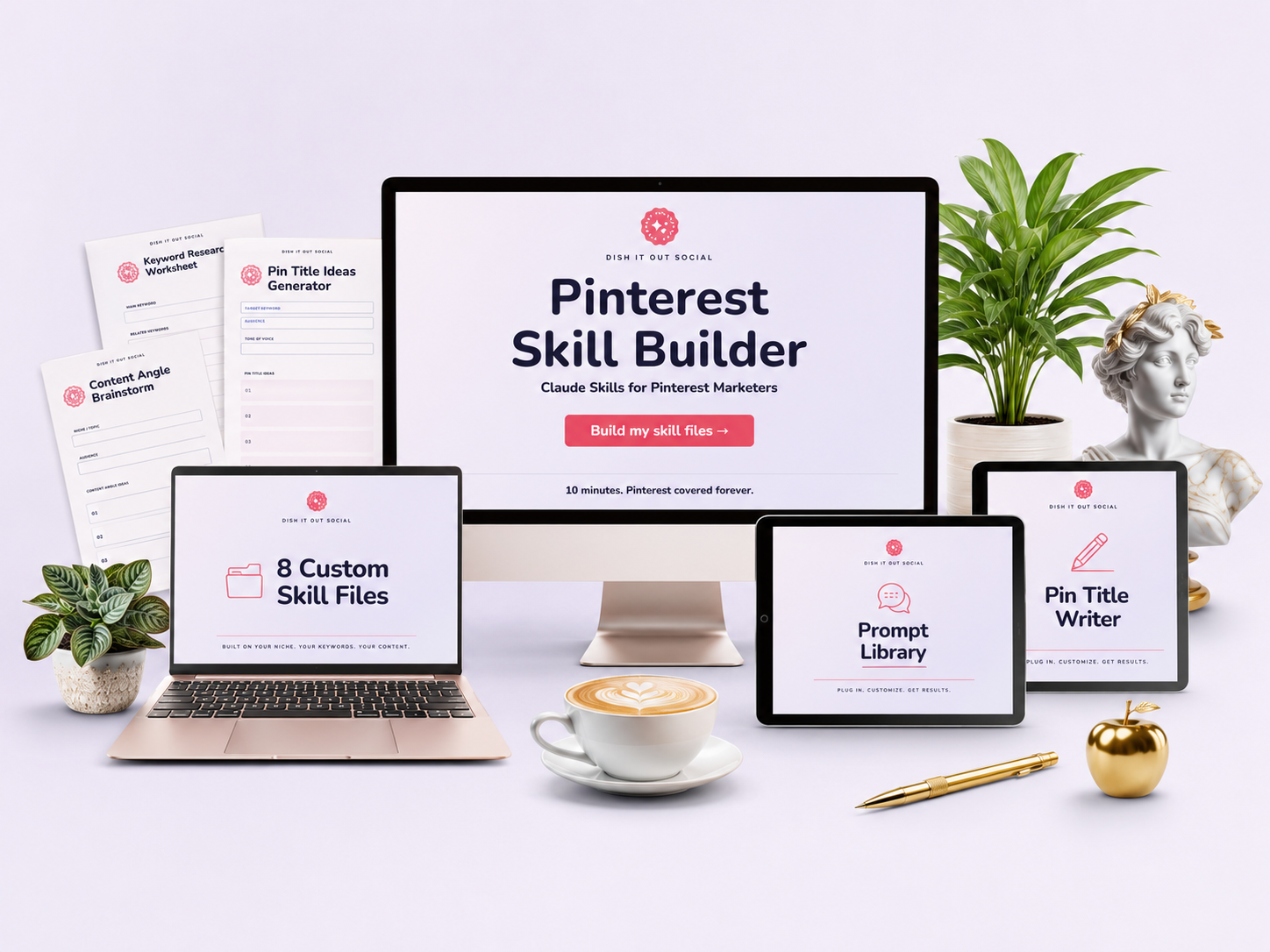
Pinterest Skill Builder is how I give AI a Pinterest brain. It's built for bloggers, course creators, and digital product sellers who want to grow without spending hours learning Pinterest marketing.
You answer a few questions about your niche, audience, and keywords. Then it builds 8 custom skill files you load into Claude, ChatGPT, or Gemini. From then on, your AI knows your account.
The skill files inside Pinterest Skill Builder include:
1. Account Context (your niche, audience, keywords, and voice, built into every file)
2. Pin Title Writer (reads your page first, then writes titles that get clicks)
3. Pin Description Writer (keyword-first descriptions with a consistent save CTA)
4. Keyword Analyzer (primary keywords, long-tail variations, seasonal angles, and content gaps)
5. Board Name Generator (board names and descriptions people actually search for)
6. Profile Auditor (scores your profile and hands you a prioritized fix list)
7. Content Angle Generator (10+ fresh pin angles from any post)
8. Pinterest Funnel Builder (connects your pins, freebie, and offers into a simple funnel)
Why AI + Pinterest Is The New Power Couple
Pinterest AI tools can help you:
- Create a strategy without second-guessing
- Write optimized titles and descriptions in seconds
- Fix low-performing pins with data-backed design review & suggestions
- Track trends and analytics without needing a data science degree
- Build a pin funnel that leads to actual sales, not just traffic
Sound too good to be true? It’s not when you use the right tools.
6 Ways to Use AI Pinterest Tools for Marketing
1. Start With a Solid Strategy
AI can help you map out what to pin, when, and why, so you’re not just winging it. AI can give you a complete roadmap to follow for better results.
AI Pinterest Skill Spotlight: Keyword Analyzer
Give it any URL or topic, and it tells you what people are searching for and when, so you can plan your pins and finally stick with it.
What it does: Pulls primary keywords, long-tail variations, seasonal angles, and content gaps, so your plan is built around real searches.
Why it matters: Without a strategy, even great pins won’t get results. This is the glue that holds it all together.
2. Write Better Pin Titles & Descriptions
No more using all your brain power (and time) writing optimized pin descriptions. Let AI generate optimized copy for you in seconds.
AI Pinterest Skill Spotlight: Pin Title Writer + Pin Description Writer
What they do: They read your page first, then write keyword-rich titles and descriptions that help your pins get seen and clicked.
Why it matters: Pinterest is a search engine. If you’re not optimizing your descriptions with the right keywords, you’re basically throwing pins into the void.
No more guessing what to say. These 2 skills write copy that ranks, converts, and sounds like you.
3. Optimize Your Pinterest Profile
AI helps you rewrite your name and bio. Plus it can recommend what type of boards you should have in order to get seen by the right people.
AI Pinterest Skill Spotlight: Profile Auditor + Board Name Generator
From keyword-rich bios to board names that rank, these 2 skills turn your profile into a traffic magnet.
What they do: The Profile Auditor scores your bio, boards, and keyword usage, then gives you a fix list. The Board Name Generator writes board names and descriptions that attract the right people from the start.
Why it matters: A strong profile isn’t just pretty — it’s a powerful first impression that tells Pinterest who to show your content to.
4. Fix Pins That Aren’t Working
Your pin image matters just as much as the keywords you use. AI can help evaluate your design and give you valuable feedback on what's working and what to fix.
 AI Pinterest Tool Spotlight: Pin Fixer
Your pins might be pretty, but are they clickable? Pin Fixer is your design-savvy sidekick who scores your pin graphics and tells you exactly what to tweak to turn views into clicks.
What she does: She audits your pin designs and gives you feedback on what’s hurting your click-through rate... font, layout, image quality, all of it.
Why it matters: Pinterest is a visual platform. If your pin isn’t stopping the scroll, it’s not going to get clicked... no matter how good your content is.
Related: 10 ChatGPT Prompts for Pinterest Marketing
5. Track What’s Working
AI can break down your analytics. Showing you why your top-performing pins are sending traffic and helps you do more of what works on the platform.
AI Pinterest Skill Spotlight: Content Angle Generator
Once you know which posts are working, do more of that. Content Angle Generator fetches any URL and gives you 10+ fresh pin angles, so your winners keep getting new pins without you repeating yourself.
What it does: Turns one post into a stack of new pin ideas, each with its own angle and headline.
Why it matters: If you’re only tracking impressions or saves, you’re missing the metric that actually moves the needle: outbound clicks.
What's Blocking Your Pinterest Growth?
Before you try another strategy, take this quick quiz to uncover the real reason your pins aren’t taking off...and get a shortcut to fix it.
6. Build a Funnel That Converts
AI can show you how to turn all that Pinterest traffic into leads and sales with a custom funnel tailored to your audience and offers.
AI Pinterest Skill Spotlight: Pinterest Funnel Builder
Pinterest can be your biggest list-builder and sales machine. Pinterest Funnel Builder reads your site, figures out your existing offers, and walks you through how to guide visitors from Pin to Page to Purchase.
What it does: Maps out a simple funnel (lead magnet, landing page, email sequence, and pin strategy) that turns Pinterest traffic into actual subscribers and sales.
Why it matters: Traffic is great... but if it’s not turning into leads or customers, what’s the point? A strategic funnel is what makes Pinterest profitable.
Related: Revolutionize Your Pinterest Marketing with ChatGPT
Why You Need Pinterest-Specific AI Tools (Not Just ChatGPT)
Let’s talk about the elephant in the room: yes, you can ask ChatGPT for Pinterest advice — but should you?
Here’s the problem: ChatGPT isn’t specifically trained on current Pinterest marketing strategies. Its responses are based on general knowledge scraped from the internet, which means you could be getting outdated, vague, or even flat-out wrong information.
Pinterest has changed a lot in the past year. What worked in 2021 or even 2023 might actually hurt your reach today. And ChatGPT doesn’t always know the difference between best practices and bad advice.
That’s exactly why I built Pinterest Skill Builder.
Each of its 8 skill files is built on my real-world, proven Pinterest strategies, the same ones I’ve used to grow traffic for myself and my clients for 10+ years. Then it's customized with your niche, keywords, and audience.
You won’t find this anywhere else.
These skills walk you through pin copy, keywords, boards, profile audits, and funnels, and they’re built specifically for creators, bloggers, and digital product sellers using Pinterest in 2026.
If you want a Pinterest system that actually works, and an AI assistant that doesn’t just guess... Pinterest Skill Builder is the only one of its kind.
Click here to learn more about Pinterest Skill Builder →
A Quick Note About Using AI Images on Pinterest
Pinterest recently started labeling AI-generated images as "AI Modified" using a new detection system powered by a large language model (LLM).
Right now, we're not sure if this will affect rankings, but the system is still new so it’s worth being cautious.
To be safe? Stick to high-quality stock images, especially when designing pins.
Canva has thousands of beautiful stock photos that are perfect for Pinterest and won’t get flagged.
If your pin gets mislabeled, don’t panic...just send an email Pinterest support and ask for a manual review. It seems like they've been pretty good at removing incorrectly labeled pins.
What to Avoid When Using AI Tools for Pinterest
 Don’t copy and paste AI output blindly. Edit and add your voice
Avoid using AI-generated images (for now). Stock images are safer
Don’t ignore your data! Track your performance and make adjustments as needed
FAQ: AI for Pinterest Marketing
A: AI for Pinterest marketing uses artificial intelligence tools to help you plan, design, write, and optimize pins for better results in less time.
A: Pinterest has started labeling AI-generated images, but there's no indication yet that it affects reach or rankings. Use stock photos for now to stay safe.
A: Pinterest Skill Builder builds 8 custom Pinterest skill files you can use in Claude, ChatGPT, or Gemini. It covers pin copy, keywords, boards, profile audits, and funnels.
A: Yes! AI tools like Pinterest Skill Builder are beginner-friendly. You answer a few questions and it builds everything for you, whether you’re just starting out or coming back after a long break. You don’t need to be tech-savvy to use AI to grow your Pinterest traffic.
Ready to Let AI Be Your Pinterest Assistant?
If you're tired of spinning your wheels, guessing what to pin, and spending hours trying to keep up, Pinterest Skill Builder was built for you.
You’ll get 8 custom skill files that work with Claude, ChatGPT, or Gemini, covering pin copy, keywords, boards, profile audits, and funnels.